Workflow monitoring
See what your integrations are doing
Track orders, inventory updates, fulfillment, and other configured data flows from a clear operational dashboard.
Review workflow activity, current status, and transfer history from a searchable dashboard. Filter by date, reference, or status, configure supported workflow schedules, and share operational visibility with your team through role-based access.
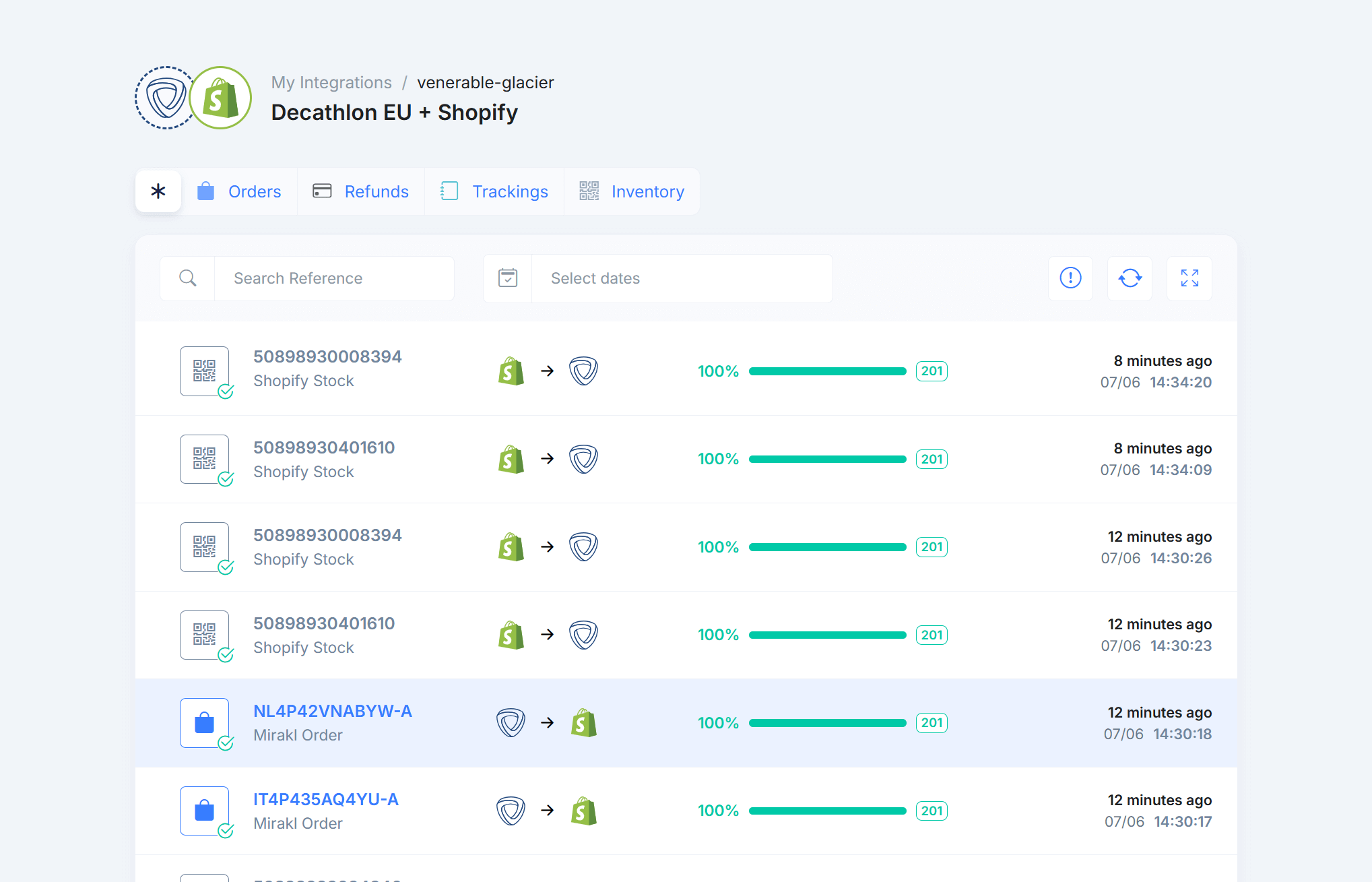
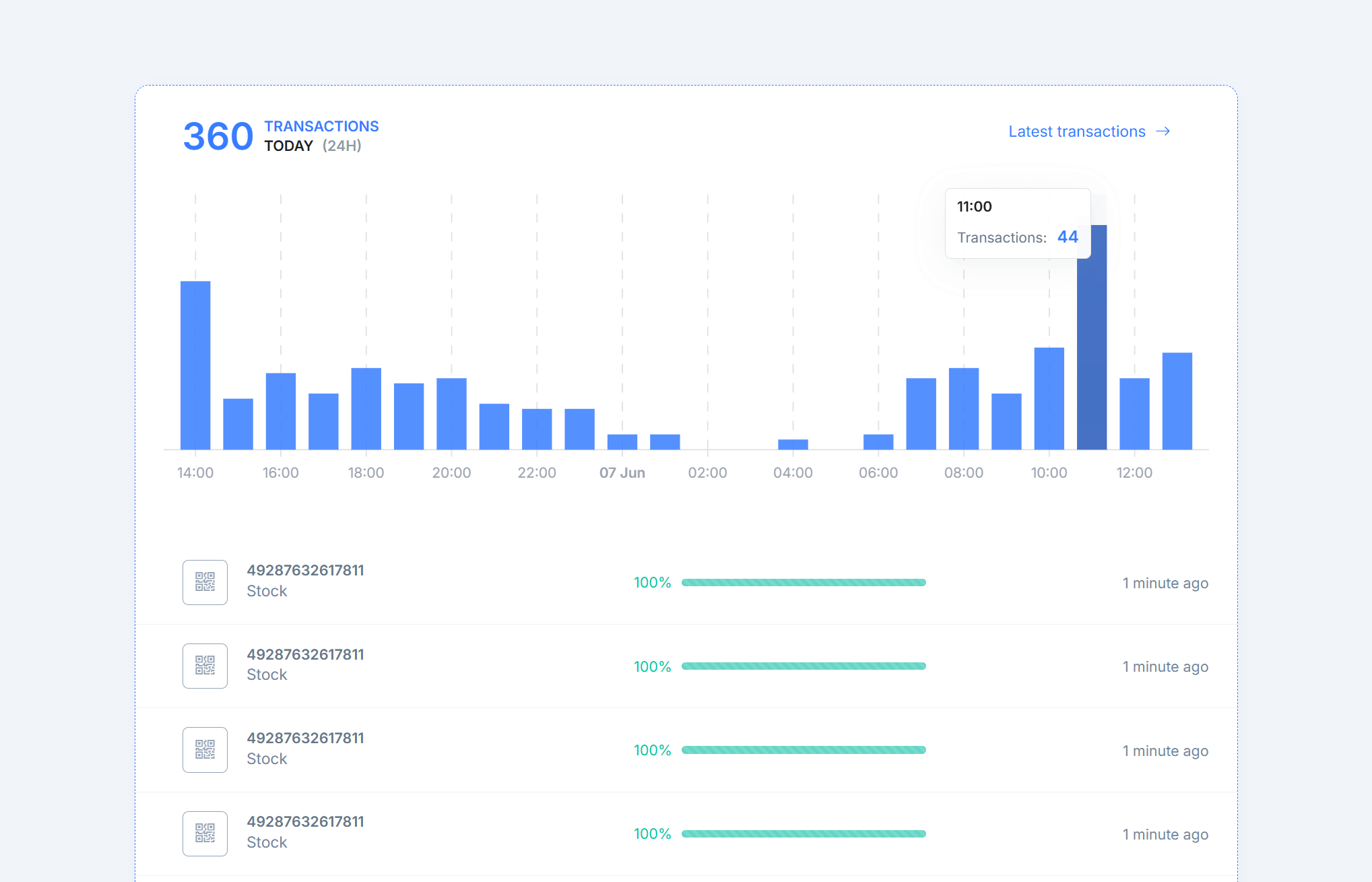
Workflow activity
Review orders, inventory updates, fulfillment, and other transfers with current status and searchable history.
Configurable scheduling
Choose available sync intervals for scheduled workflows according to your plan and integration.
Search and filtering
Find transfers by date, reference, or status to investigate issues and confirm what happened.
Team access
Invite team members and use role-based access to share operational visibility without sharing integration credentials.
Workflow activity
See what your integrations are doing
Review orders, inventory updates, fulfillment, and other configured data flows from a clear, searchable operational dashboard.
- Live workflow visibility.
- Follow current workflow activity and status changes as transfers move through your connected systems.
- Search and filtering.
- Search by reference, date, or status so you can confirm successful transfers and investigate exceptions without digging through multiple systems.
AU-M3SPDJT3ET-A
Order import
Completed2 minutes agoUS-C8ATZUSIIJ-A
Tracking update
Completed3 minutes agoSKU-6115178
Inventory update
Completed5 minutes agoSKU-3820709
Inventory update
Completed5 minutes agoAU-OT0SPI6GCH-A
Order import
Completed8 minutes ago
Workflow scheduling
Control when and how workflows run
Choose available sync intervals for scheduled workflows and combine them with event-driven automation where the connected platforms support it.
- Configurable schedules.
- Set the cadence that fits each workflow, from frequent operational updates to less time-sensitive background synchronization.
- Workflow controls.
- Use settings, filters, mappings, and workflow options to control which data moves between systems and how it is handled.
Orders
Import marketplace orders into your ecommerce or back-office system
Refunds & credit notes
Keep refunds, cancellations, and credit notes aligned between systems
Inventory
Publish inventory from your source system to connected channels
Fulfillment & tracking
Send shipment status, carrier, and tracking updates back to marketplaces
Invoices & documents
Generate, retrieve, or upload order documents where supported
Transfer history
Find past workflow activity quickly
Search historical transfers by date, reference, or status to confirm what happened and investigate workflows that need attention.
- Date and range filters.
- Focus on a specific day or date range when reviewing order activity, inventory updates, fulfillment, or other transfers.
- Reference and status search.
- Find transfers by order, product, or transaction reference and narrow results by status to investigate issues more efficiently.
Team access
Give the right people operational visibility
Invite colleagues, assign roles, and share access to integration activity without requiring everyone to manage platform credentials.
- Role-based access.
- Use roles and permissions to give each team member the level of access they need for day-to-day integration work.
- Activity history.
- Keep a record of account and workflow activity so teams can understand changes and coordinate operational work.

Sarah Davis
Ecommerce Manager
Online

Michael Chen
Customer Support Specialist
Online

Emma Johnson
Inventory Control Analyst
Last seen 4h ago

Rachel Stevens
Chief Operating Officer
Last seen yesterday

John Smith
UX Designer
Last seen 2d ago
Integration connections
Connect the systems your workflows depend on
Connect supported ecommerce, marketplace, and back-office systems through guided OAuth or credential-based setup.
- Guided connection setup.
- Use the authentication method supported by each platform, then configure the workflows that should run between the connected systems.
- Growing connector library.
- Connect ecommerce platforms, marketplaces, marketplace technologies, ERP, accounting, logistics, and other supported business systems.

Shopify

Mirakl
Operational analytics
Understand integration activity over time
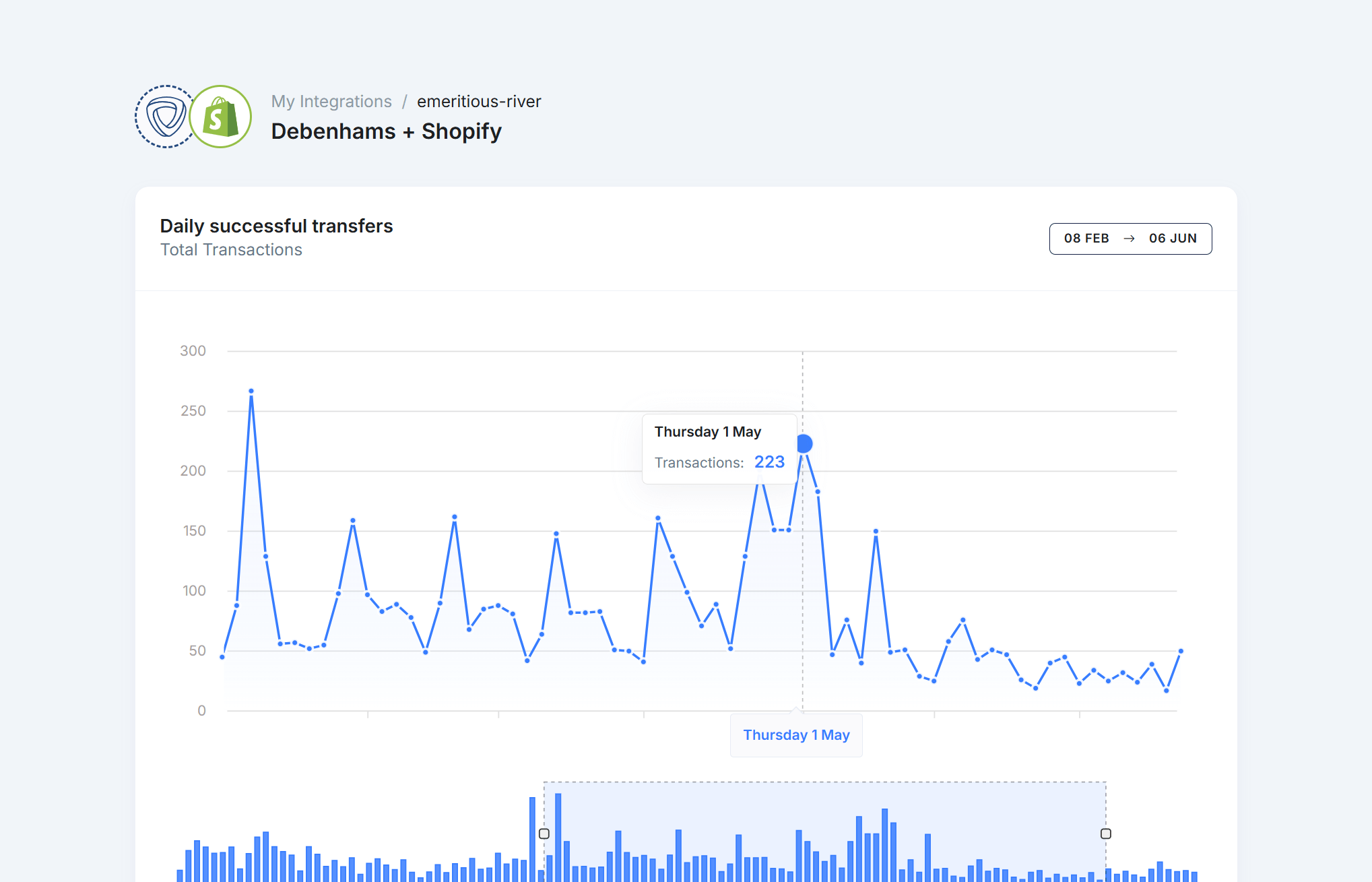
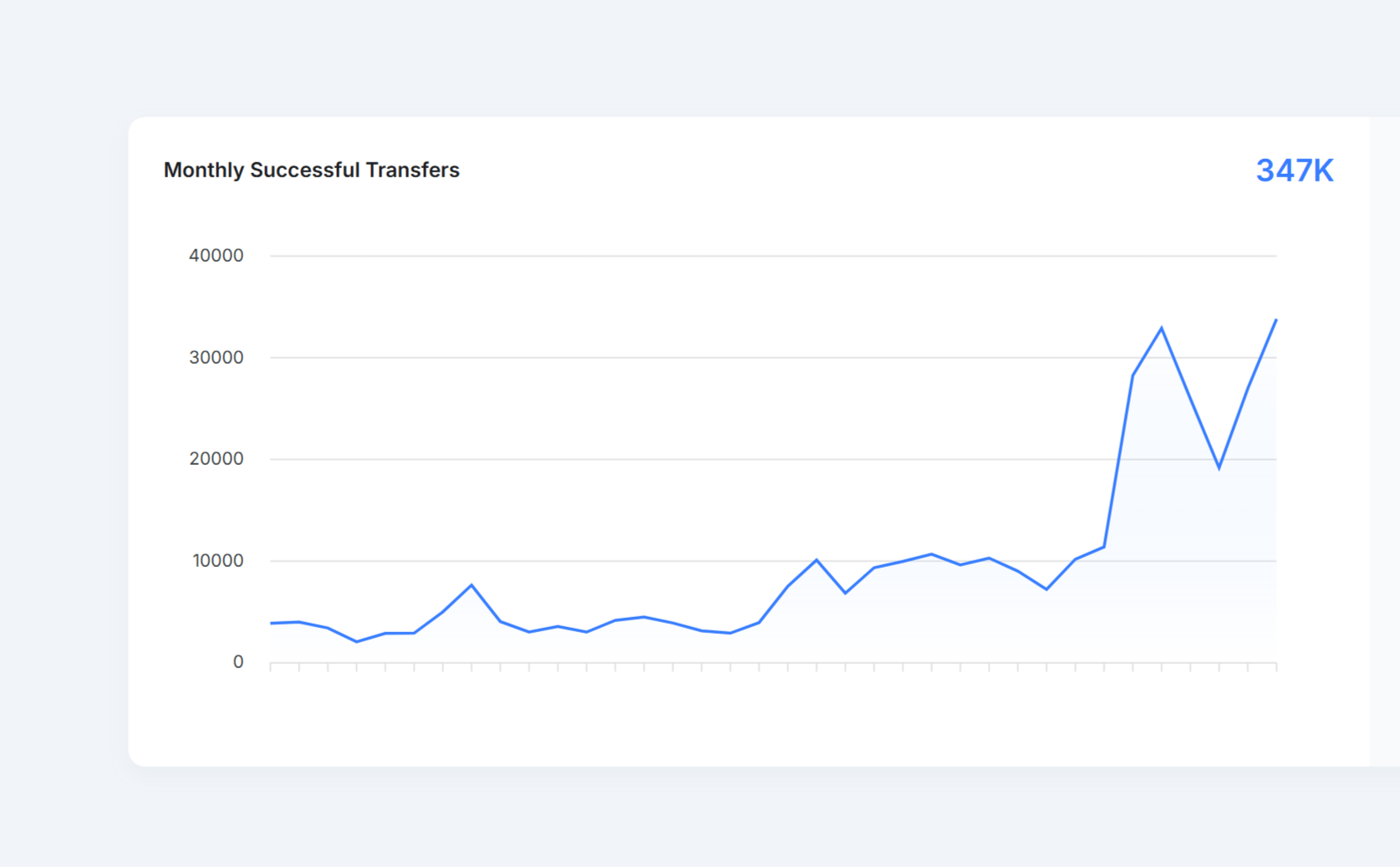
Review daily and monthly transfer volumes, identify busy periods, and export available reports for operational analysis.
- Usage and activity trends.
- Compare transfer volumes over time to understand marketplace activity, recurring peaks, and changes in integration usage.
- Exportable reports.
- Export available usage and activity reports for internal analysis, planning, or stakeholder review.
Connect your marketplace operations. Start with the workflows that matter.
Automate orders, fulfillment, inventory, invoices, and refunds across the systems your team already uses, with monitoring and controlled recovery built in.